Open a distraction. Find Scripture first.
DailyLight keeps the apps that pull you away paused until you have read today’s chapter. A few quiet minutes with Scripture, then the rest of your day.
Free to read. Try Focus mode free for a week. No account.
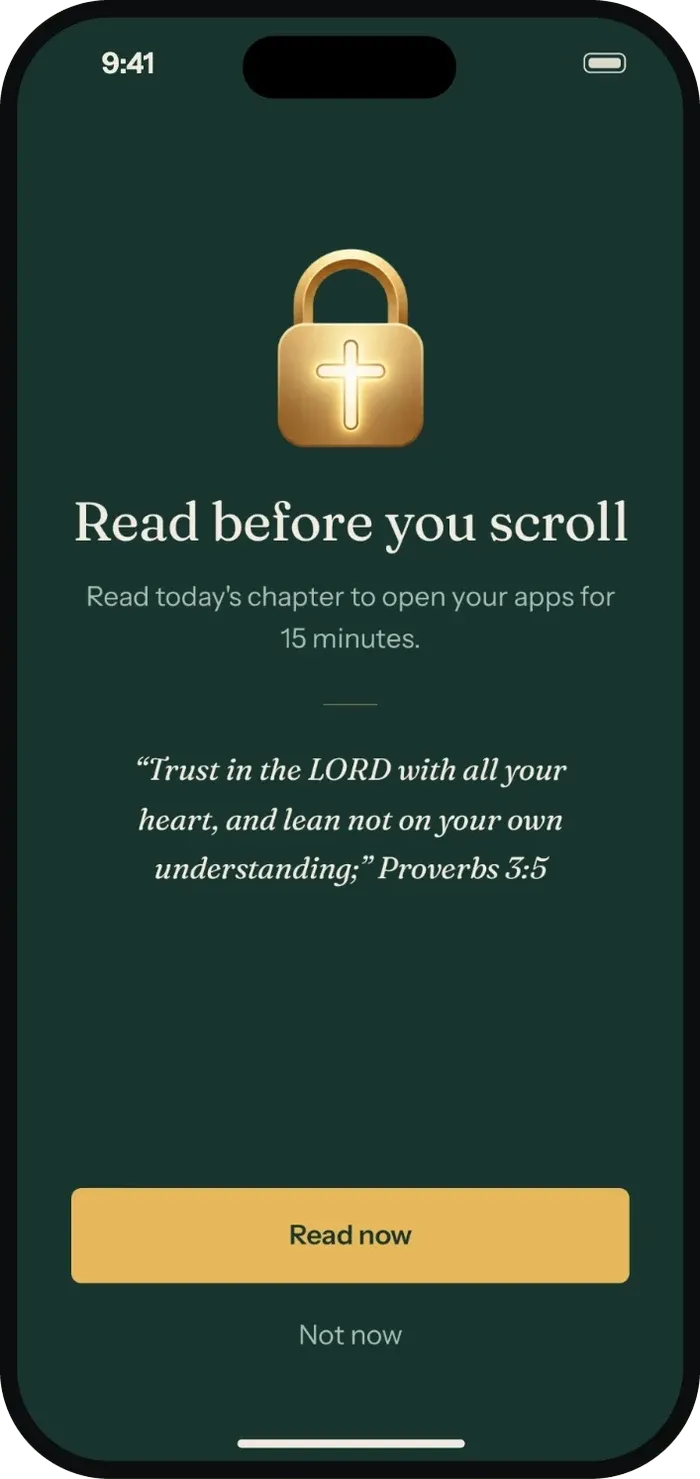
We reach for the phone before we reach for anything else. What if the first thing it opened was Scripture?
DailyLight does not ask you to give up your apps. It asks for one chapter first. Do that every day and the habit builds itself, one streak day at a time.
Three steps, about a minute to set up.
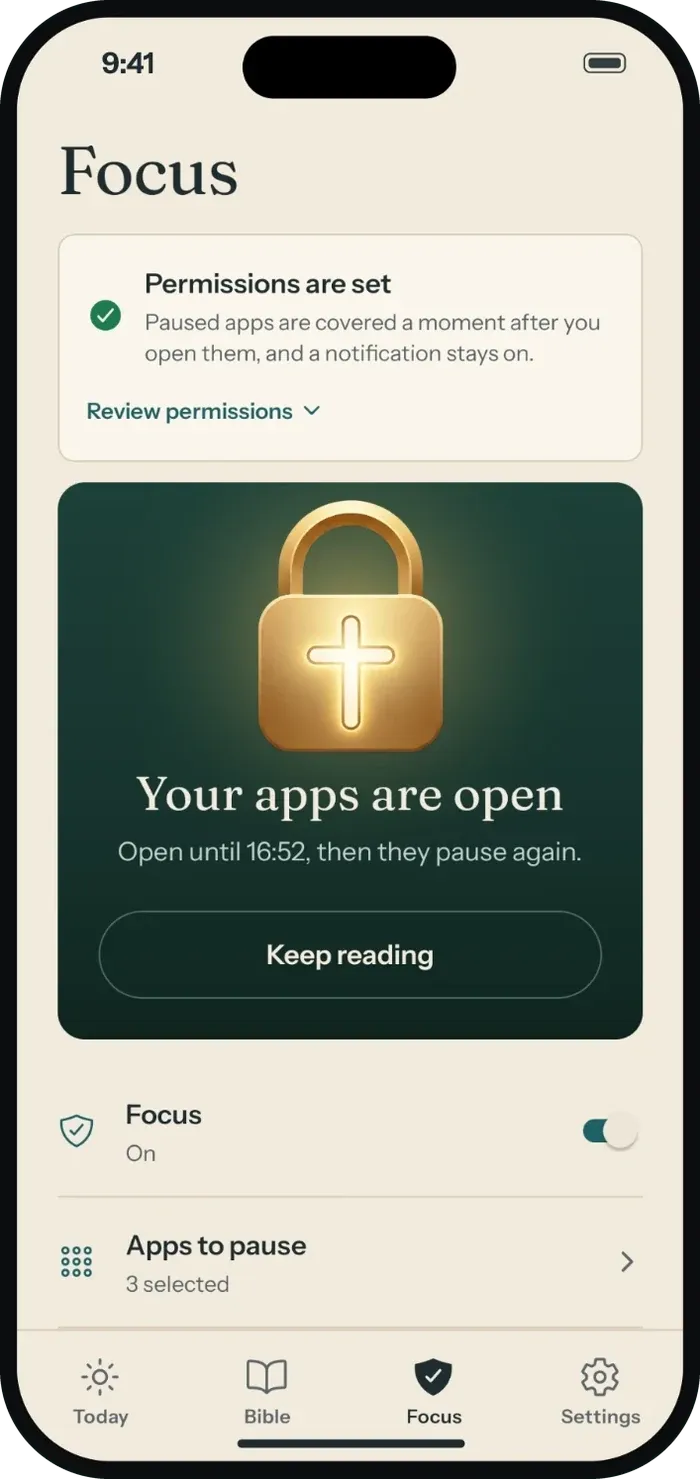
Choose your apps
On the Focus tab, tap “Apps to pause” and pick the ones that pull you away: social media, news, games, anything you reach for without thinking.
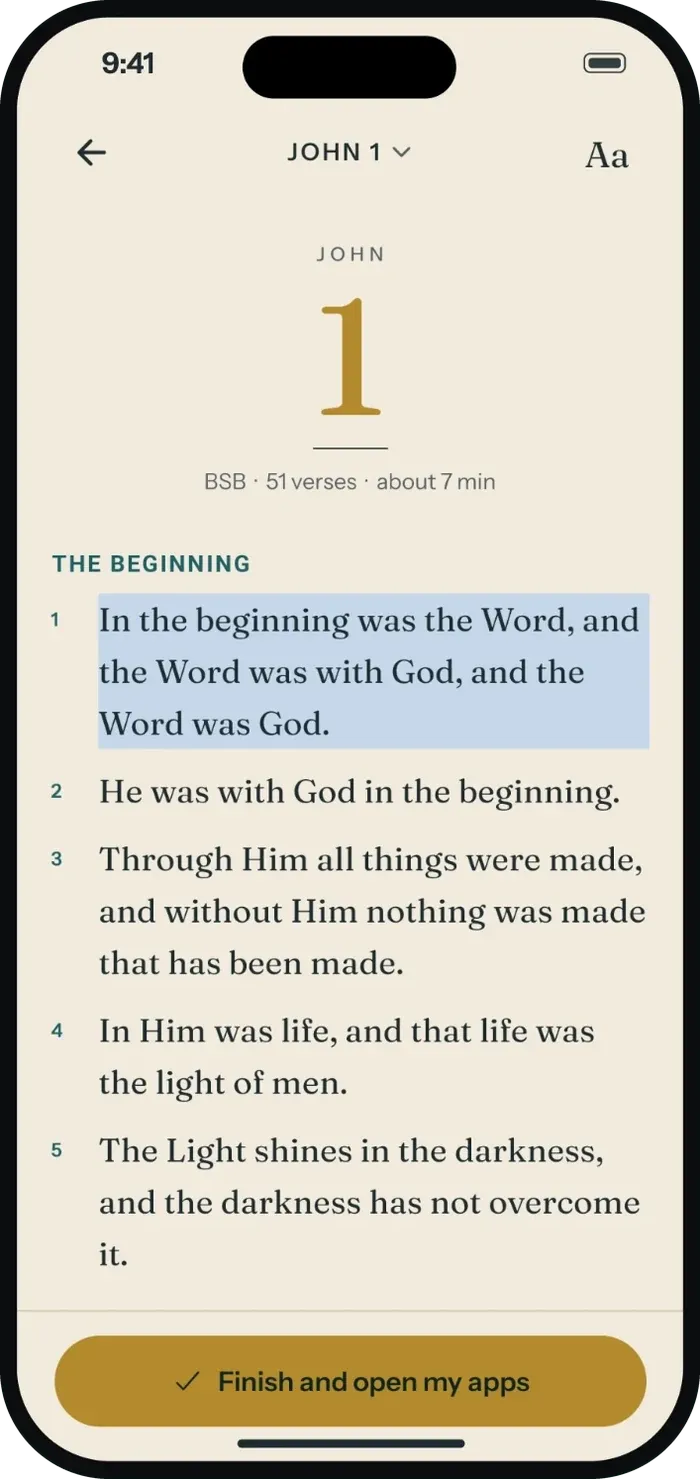
Read a chapter
Open a paused app and DailyLight asks you to read first. Read today’s chapter at a calm pace, then tap “Finish and open my apps”.
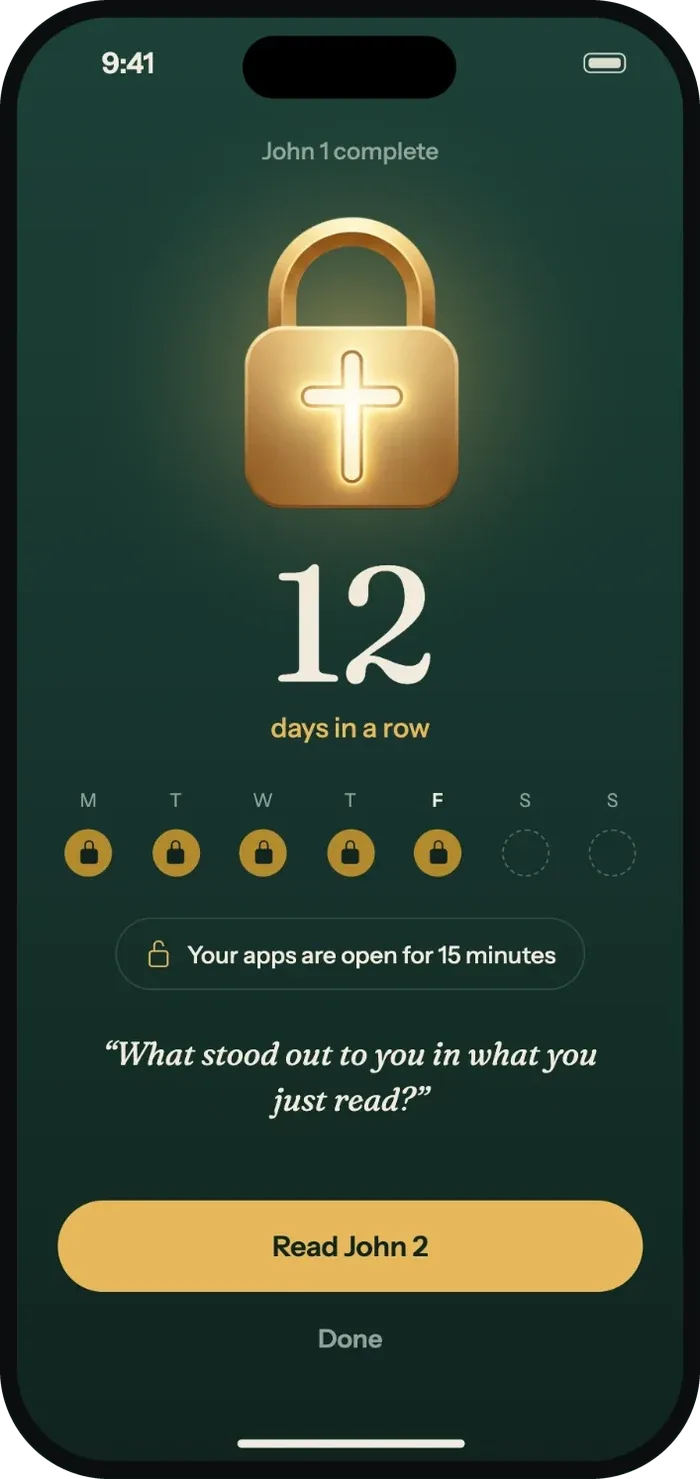
Your apps open
They stay open for 15 minutes to start (you can change it), then pause again until your next chapter.
Keep the verses that speak to you.
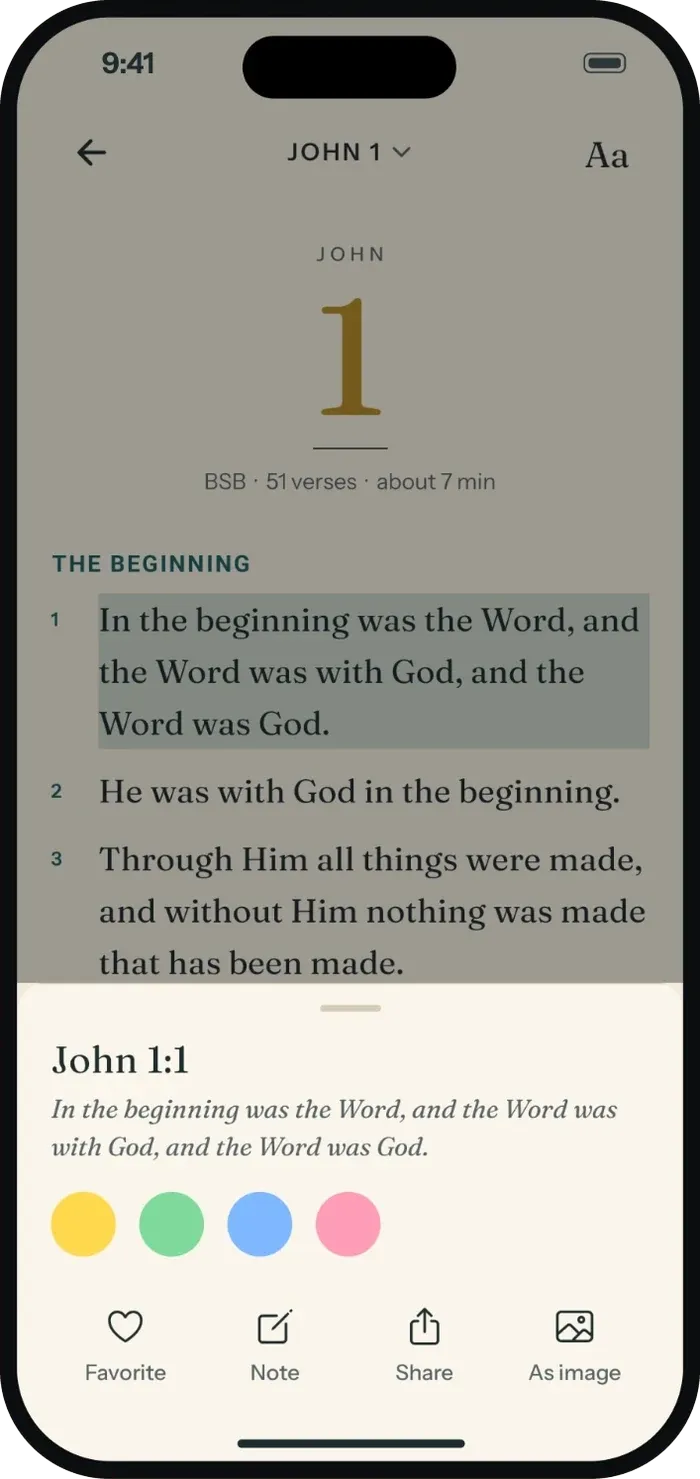
Tap a verse to favorite it, highlight it in one of four colors, add a note or share it. The reader stays quiet: warm paper, a serif typeface and room to breathe.
- More than 40 translations in 8 languages
- Download translations to read offline
- Favorites, highlights and your own notes
- Share a verse as text or as an image
A habit that keeps you close.
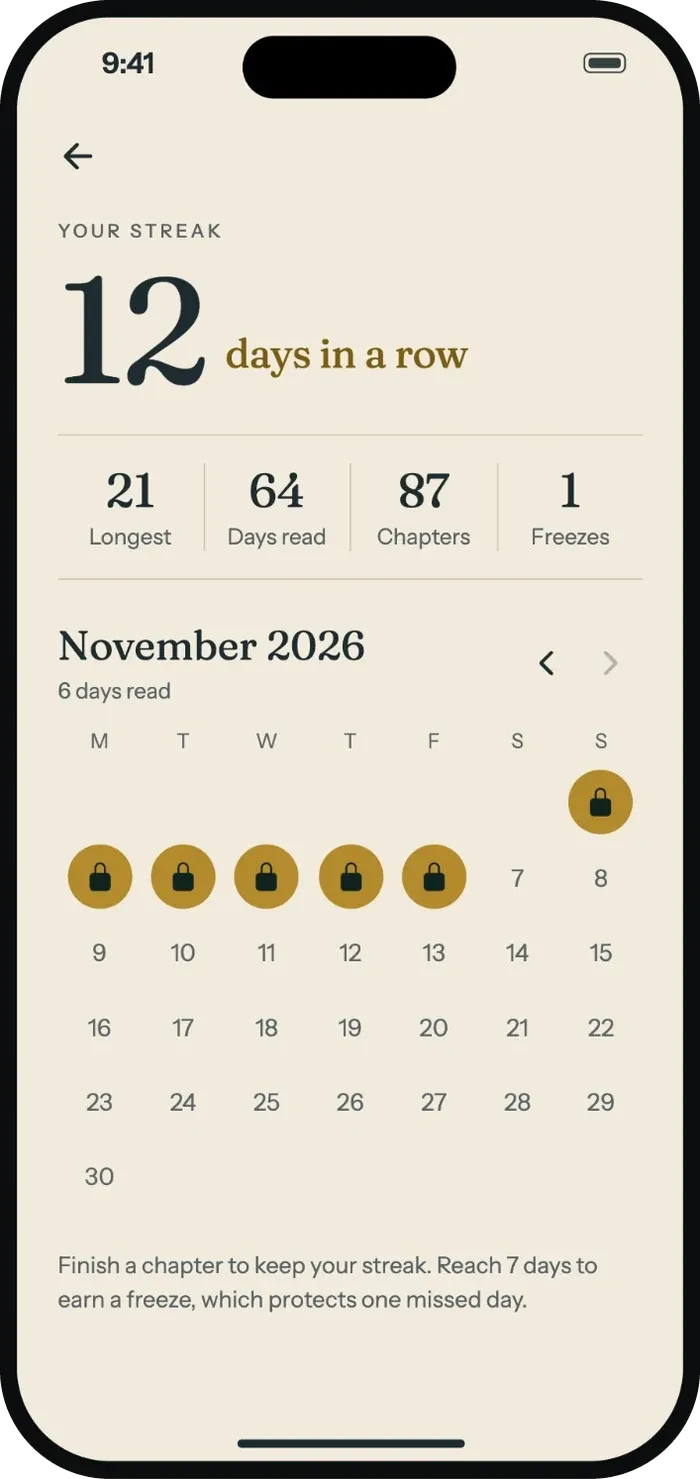
Every chapter you finish adds a gold lock to your calendar. See your streak, your longest run and how many chapters you have read.
- Reach 7 days to earn a freeze that protects one missed day
- A calendar of the days you read
- A reminder at the time you choose
- No account, everything stays on your phone
Small things that keep you coming back.
Streaks that are kind
Count the days you read. Every chapter adds a gold lock to your calendar. Reach 7 days to earn a freeze that protects one missed day.
A reminder at your time
Choose when you want to be nudged, with the day’s verse. Reminders are made on your phone, not sent from a server.
Read offline
Download the translations you love and read on a plane, in the mountains or anywhere the signal drops.
Your own Bible
Favorite verses, highlight what speaks to you and keep private notes, all in one place.
Search
Find a verse by word or reference and jump straight to it.
Share a verse
Turn a verse into a clean card in one of eight styles and send it to someone who needs it today.
Light and night
Paper by day, a deep green night after dark. Text size and reading style are yours to set.
No account
Open the app and start. Nothing to sign up for, nothing to remember.

“Your word is a lamp to my feet and a light to my path.” Psalm 119:105
Your faith is not our data.
DailyLight does not run a server that holds your reading, your notes or your apps. It stays on your phone.
- Stored on your deviceStreaks, favorites, notes and settings never leave your phone.
- We cannot see your appsWhich apps you paused and which you open are handled on your phone only.
- Nothing is soldNo ads, no tracking of your reading, no selling of information.
Read for free. Add Focus when you want it.
The Bible is free to read, always. Focus mode is the only paid part, and you can try it for a week first.
Reading
- 40+ translations, 8 languages
- Offline downloads
- Streaks and reminders
- Favorites, highlights, notes
- Search and verse cards
Focus
- Everything in Free
- Pause the apps you choose
- They open after you read
- You pick how long they stay open
- Cancel any time
The price in your country is shown in the App Store or Google Play before you subscribe. Subscriptions renew unless cancelled at least 24 hours before the period ends, and you can manage them in your store account settings. Details in the Terms of Service.
Good to know.
How does Focus mode work?
You choose the apps that pull you away: social media, news, games, anything. They stay paused. When you finish a chapter in DailyLight, they open for the length of time you picked (from a few minutes to the rest of the day), then pause again until your next chapter.
Can I still get around it?
Yes. Focus mode is a tool to help you keep a habit, not a lock you cannot open. You can turn it off any time, and you stay in charge of the permissions you grant. It is meant to give you a pause at the right moment, not to police you.
Is DailyLight free?
Reading is free: the full Bible reader, streaks, search, favorites, notes, offline translations and reminders. Focus mode comes with a 7-day free trial, then a subscription billed by the App Store or Google Play. The price is shown before you start, and you can cancel any time in your store settings.
Do you see which apps I use?
No. On iPhone, your choice of apps is handled by Apple’s Screen Time and never leaves your phone. On Android, DailyLight only notices which app has come to the front so it can show the “Read first” screen; it does not read what is on your screen, and nothing about your usage is sent anywhere.
More detail is in the Privacy Policy.
Which Bible translations are available?
More than 40 translations in 8 languages: English (BSB, WEB, KJV and more), Spanish, Portuguese, French, German, Italian, Arabic and Hindi. You can download translations to read offline.
Do I need an account?
No. DailyLight works without signing up. Your streak, favorites, notes and settings stay on your device.
Can I read without Focus mode?
Of course. Focus mode is optional and you can skip it during setup. DailyLight is first of all a calm place to read a chapter a day and keep a streak.
How do I contact you?
Email support@carbo-studio.com or write to us from the app. We answer within 48 hours.
Start with one chapter.
Download DailyLight, choose your apps and see how the day feels when it begins with Scripture.